Keep your hands on the keyboard.
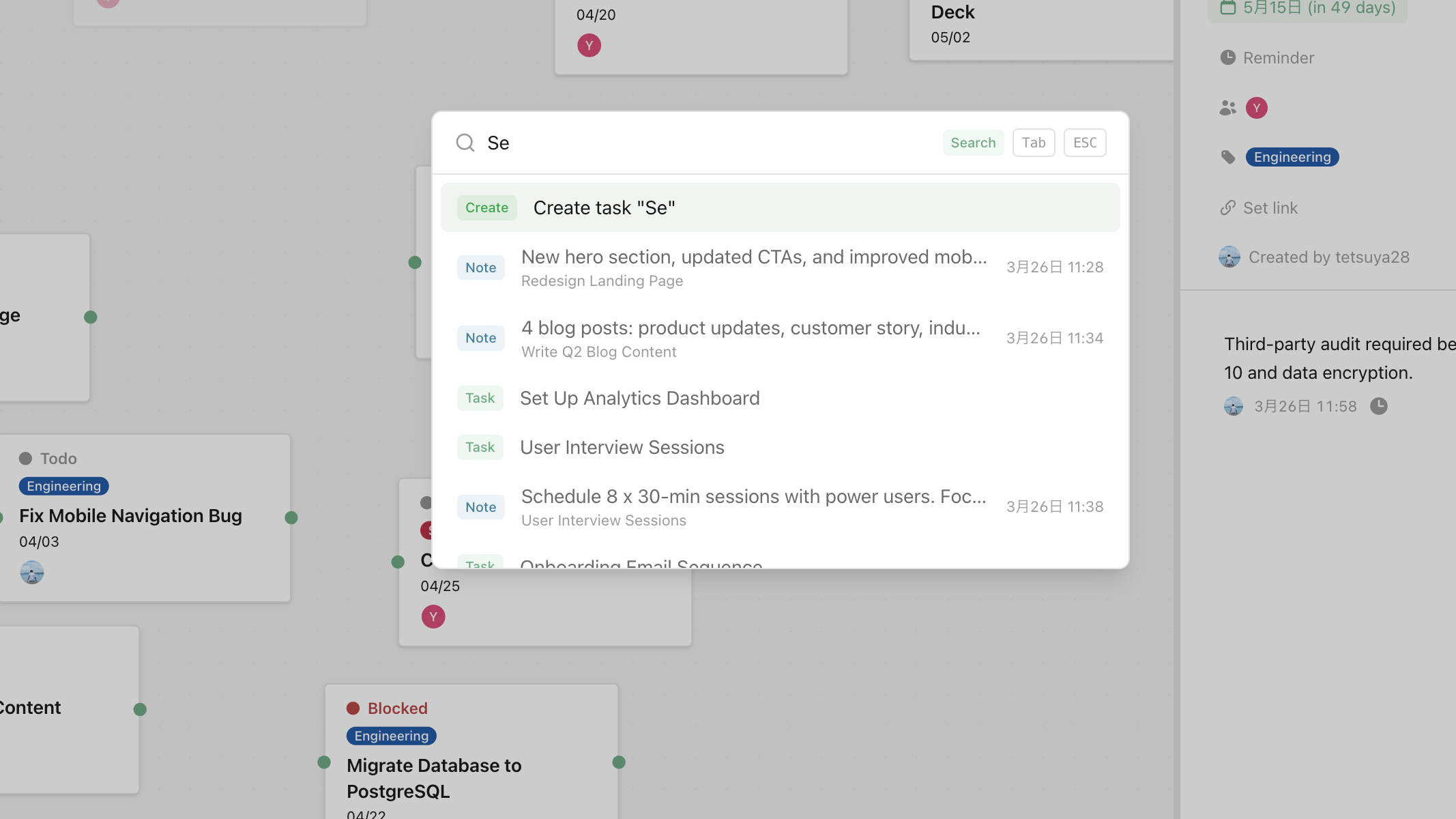
Press ⌘K to create, search, or jump — instantly. A command-first interface that keeps your hands on the keyboard and your flow state intact.
Three pillars that move work forward.
⌘K is the one entry point
Task creation, search, canvas switching, settings — all behind one ⌘K shortcut. Stop memorizing where things live.
Fuzzy search across everything
Type a fragment of a task name and search fuzzy across all canvases. Find the exact task you want in under a second, even among hundreds.
A few strokes to any action
Create task → type title → Enter. Status change, canvas switch, reminder set — all in a few keystrokes. No menus, no clicking.
Great for work like this.
Frequent task capture
Turn a thought into a task the instant you have it — before you forget switching to the mouse.
Finding tasks fast in a large set
Open "that specific bug ticket" in one second, from a pool of hundreds.
Keyboard-centric workflows
For Vim users, Raycast users, or anyone who prefers keyboard-driven tools.